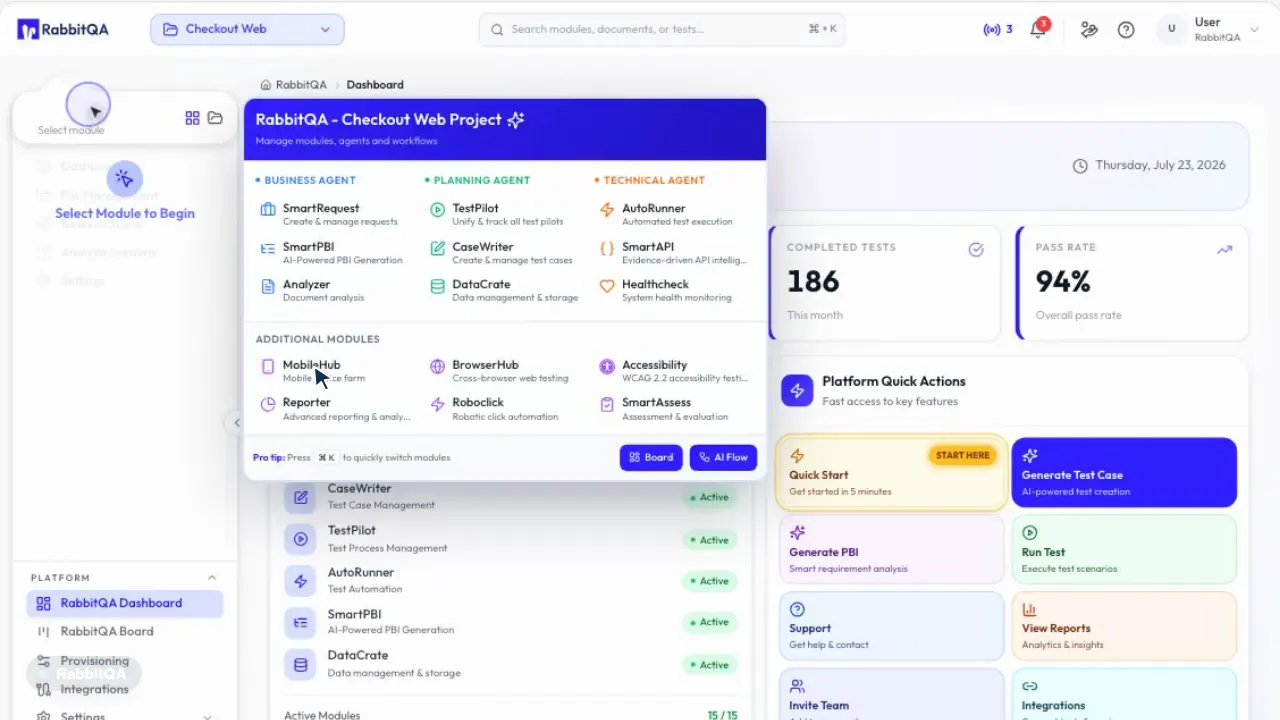
MobileHub is a cloud-based mobile testing product that runs manual tests and Appium automation on real iOS and Android devices. You pick a device in your browser and open a session. Flows that need real hardware, such as QR scanning, sensor motion and GPS location, are validated without simulation. Session evidence, defect records and reports are collected in the same project and stored in an audit-ready form.
The fleet holds real iOS and Android devices alongside emulators, so you select different operating system versions from a single screen. You reserve a device for a given day and time, from 15 minutes up to 4 hours. You can also connect your own devices to the fleet and test without carrying the cost of building and running a device lab.
QR and Camera Flows
You validate payment, login and promo code flows end to end. The QR code is read by the camera of the device the test runs on, so there is no need to paste an image on the screen or skip the code step. Flows that use the camera stay inside test coverage.
Motion and Sensor Scenarios
You run motion-triggered campaigns such as shake-to-win and spin-the-wheel. The motion comes from the device’s own sensors, and accelerometer and gyroscope data is produced on real hardware. Campaign mechanics are validated under real conditions before they go live.
GPS Location Simulation
You test region-dependent scenarios from a map, by entering coordinates or by selecting a preset city. The simulated location is cleared when the session ends, so the device enters the next test in a clean state. Geo-restriction, delivery zone and local content flows are validated on a single device.
Appium Automation
You run automation with UiAutomator2 on Android and XCUITest on iOS. The configuration generator produces capabilities and sample code for Java, Python, Node.js and cURL; clients connect with a scope-limited API key or through the command line tool. Submitted runs are grouped into builds and sessions, so manual testing and automation meet in the same fleet.
Defect Logging
You open a defect from the session screen and link it to a test plan. The record is created together with its screenshot and log attachments. It is carried into Jira and Azure DevOps boards, so the link between a defect and its evidence stays intact.
Evidence and Reporting
Session evidence and reports remain available long after the run. Screenshots, video recordings, level-filtered logs and PDF reports stay on the record. Device usage, reservation and session reports are produced in an audit-ready form.
How it works
1
Select a Device
Select a real device or an emulator from the fleet. Create a reservation for a future date, from 15 minutes up to 4 hours; you can edit or cancel it at any time.
Who is it for?
Enterprises that own a mobile app
Teams that earn a significant share of revenue through the app and learn about release defects from store reviews.
Retail and e-commerce running campaigns
Marketing campaigns built on shake-to-win, spin-the-wheel and code scanning mechanics.
Teams running payment and identity flows
Banks, fintechs, logistics and transport companies that need to validate QR payment, wallet and login flows with a real camera.
Teams carrying the device lab burden
Organizations that do not want to deal with device procurement, cabling and operating system updates.
Distributed QA teams
Teams that need access to the same device pool from different cities and countries.
What Changes?
With Old Methods
With MobileHub
A limited number of physical test devices
Browser access to more than 150 real devices and emulators
QR flows are tried by hand at a desk
The QR code is read by the camera of the device the test runs on
Sensor scenarios stay outside test coverage
Motion and sensor flows run on real hardware
Location testing means going out into the field
GPS location is simulated by map, coordinates or preset city
Evidence is scattered across screenshot folders
Evidence, defect record and report are collected in one session
Manual testing and automation live in separate tools
Both are managed on the same device fleet
Device usage is invisible
Usage, reservations and quota are reported
Built for high-risk digital environments.
Proven experience in industries where the cost of a performance failure is highest.
MobileHub is a cloud-based mobile testing product that runs manual tests and Appium automation on real iOS and Android devices. The device fleet is reached from the browser, and reservations, evidence capture, defect tracking and usage reporting are part of the product.
Does the fleet hold real devices or emulators?+
Both. The fleet holds real Android and iOS hardware across different operating system versions alongside emulators and simulators. You can apply a real device or emulator filter before opening a session.
How do you scan the QR code?+
The QR code is read by the camera of the device the test runs on. There is no need to paste an image on the screen or skip the code step; payment, login and promo code flows are validated end to end with real camera input.
Can motion-triggered campaigns such as shake-to-win be tested?+
Yes. The motion comes from the device’s own sensors, and accelerometer and gyroscope data is produced on real hardware. Shake-to-win and spin-the-wheel mechanics are validated under real conditions before the campaign goes live.
How does automation work?+
MobileHub supports Appium-based automation with the UiAutomator2 driver on Android and the XCUITest driver on iOS. The configuration generator produces capabilities and sample code for Java, Python, Node.js and cURL. Clients connect with a scope-limited API key or through the command line tool, and runs are grouped into builds and sessions.
Do defects sync with Jira and Azure DevOps?+
Yes. You open the defect record from the session screen and link it to a test plan. Once the integration is defined, the record is carried into Jira and Azure DevOps boards together with its attachments.
Can we connect our own devices?+
Yes. You can add your own devices to the fleet and manage them from the same interface as the shared fleet. This model is used for devices that have to stay inside the organization.
How does MobileHub relate to RabbitQA?+
MobileHub is the mobile testing module of the RabbitQA platform. It can be used on its own; used together with RabbitQA, sessions, defects and reports are collected under the same project as your TestPilot test plans.
References
Your mobile app reaches the user on a real device.
MobileHub runs the test in the same place. Fill in the form and let us go through your device coverage, campaign mechanics and automation plan together.