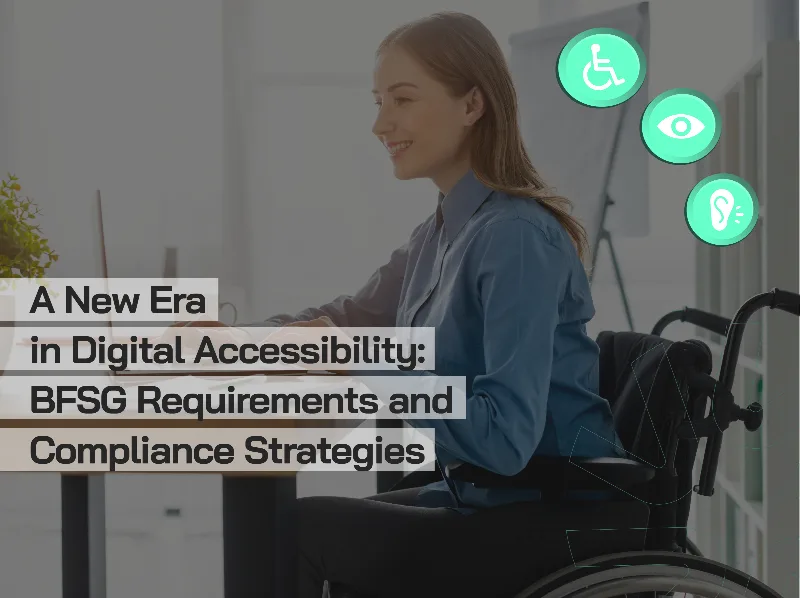

In today’s digital age, have you ever visited a website and wondered, “How would a visually impaired person use this site?” Or have you tried navigating a website using only your keyboard and realized how challenging it can be?
This is exactly where accessibility testing steps in — aiming to make the digital world more usable for everyone.
Put simply, accessibility testing is the process of evaluating whether a website or application can be effectively used by all users, including those with disabilities. The goal is to identify the barriers faced by individuals with visual, auditory, motor, or cognitive impairments when accessing digital content — and to offer solutions to overcome them.
Why Is It So Important?
Legal regulations around this topic go beyond ethical responsibility — in many countries, digital accessibility is now a legal requirement.
In the United States, accessibility is governed at the federal level by Section 508 of the Rehabilitation Act and the Americans with Disabilities Act (ADA). These laws require public institutions and many private organizations to ensure their digital content is accessible to everyone. Violations of the ADA have led to a significant increase in lawsuits in recent years, underlining the legal consequences of non-compliance.
In the European Union, the EN 301 549 standard and the European Accessibility Act mandate accessibility for all public-facing digital platforms. As of 2025, these requirements will extend to private sector organizations across the EU.
In the United Kingdom, accessibility is defined as an anti-discrimination obligation under the Equality Act 2010, and further enforced by the Public Sector Bodies (Websites and Mobile Applications) Accessibility Regulations 2018, which require public sector websites and mobile apps to comply with the WCAG 2.1 AA level.
These international legal frameworks demonstrate that accessibility is no longer just a best practice — it’s a globally recognized, enforceable standard.
WCAG: The Compass of Accessibility
The Web Content Accessibility Guidelines (WCAG) serve as a compass for digital accessibility. This internationally accepted standard is based on four foundational principles, each addressing a different aspect of digital content:
- Perceivable:
Users must be able to perceive the information presented. This means all images must have alternative text, videos should have captions, and color alone should not be used to convey information (e.g., say "fill out required fields" instead of "fill out red fields"). - Operable:
All functionalities must be accessible via keyboard. Users should be given sufficient time to read and interact with content, and flashing content should be avoided to prevent seizures. - Understandable:
Both the content and interface must be easy to understand. Websites should behave predictably, and users should be supported in correcting their mistakes. - Robust:
Content should be reliably interpreted by a wide range of user agents, including assistive technologies. Clean and valid code is essential to ensure compatibility.
Testing Methods: Automated, Manual, and Real User Experience
Accessibility testing can be categorized into three main approaches:
- Automated Testing:
Tools like WAVE, axe DevTools, and Lighthouse help identify basic accessibility issues within minutes. However, automated tools typically only detect around 25–30% of all accessibility issues. - Manual Testing:
Manual evaluation is crucial for identifying issues that require human judgment. Try navigating your site using only the keyboard — can you reach every element using the Tab key? Are focus indicators clear? Use screen readers like NVDA or JAWS to experience your site from the perspective of a visually impaired user. - Real User Testing:
The most valuable feedback comes from real users with disabilities. These usability tests uncover critical issues that no automated tool or expert review can detect — offering insights into real-world usage and edge cases.
Common Issues and Solutions
Accessibility tests often reveal recurring problems in key areas:
- Missing alternative text:
Developers often leave image alt tags blank or use vague descriptions like “image” or “photo.” Instead, alt text should clearly describe the image’s content and purpose. - Insufficient color contrast:
Light grey tones may look elegant, but they pose significant accessibility issues for users with visual impairments. WCAG AA requires a contrast ratio of at least 4.5:1 for normal text and 3:1 for large text. - Form accessibility issues:
Missing labels, unreadable error messages, or unclear required fields often prevent users from successfully completing forms. - Keyboard navigation issues:
If the Tab order is illogical or certain elements aren’t keyboard-accessible, users who rely solely on keyboard input may be excluded from interacting with key site features.
Test Process: From Planning to Execution
An effective accessibility testing process begins with a structured plan:
- Define scope — Will you test the entire website or specific pages and functions?
- Set your compliance target — WCAG 2.1 AA is widely accepted and generally sufficient to meet legal requirements.
- Run automated scans to identify immediate issues.
- Conduct manual testing — check keyboard accessibility, screen reader compatibility, and color contrast.
- Report and prioritize findings — categorize issues based on severity and impact.
- Test continuously — Accessibility is not a one-time task; updates and new content require retesting.
Tools and Technologies
There are many tools available to support accessibility testing:
- WAVE — a web-based, free tool for visual feedback and markup inspection.
- axe DevTools — a browser extension that offers detailed issue reports during development.
- Lighthouse (Chrome) — built-in tool for accessibility scoring and auditing.
- Color Contrast Analyzer — ideal for checking text-to-background contrast ratios.
- Deque axe Monitor, Siteimprove — enterprise-grade solutions offering continuous monitoring and comprehensive reporting, especially valuable for large organizations.
Looking Ahead
Accessibility testing is not just about finding existing issues — it’s also about preventing future ones. Integrating accessibility into your design and development workflows from the beginning significantly reduces long-term costs and ensures a better user experience.
With the rapid advancement of AI and machine learning, new possibilities are emerging in accessibility testing: automatic alt text generation, voice navigation, and intelligent contrast adjustment are just a few innovations making accessibility easier and smarter.
Conclusion
Accessibility testing is not just a technical requirement — it's a social responsibility and a business strategy. By designing digital products that are inclusive for all, we not only expand our audience but also contribute to a more equitable digital world.
Every step in this journey matters and requires ongoing effort — but the end result, a fully inclusive digital experience, makes every effort worthwhile.
At Virgosol, we provide comprehensive accessibility testing services aligned with WCAG 2.1 AA and EN 301 549 standards, helping organizations make their digital products truly accessible for everyone. Let’s work together to build a more inclusive digital future.
At Virgosol, we provide comprehensive accessibility testing services aligned with WCAG 2.1 AA and EN 301 549 standards, helping organizations make their digital products truly accessible for everyone. Let’s work together to build a more inclusive digital future.