Mobile testing is the practice of validating a mobile application’s behavior across the devices, operating system versions and hardware conditions its users actually run it on. It covers functional, compatibility and regression testing, and it extends to hardware dependent flows such as camera, sensors and GPS that emulators cannot fully reproduce.
For banks, retailers, airlines and telecoms, the mobile application is no longer one channel among several. It is where the customer opens an account, completes a payment, checks in for a flight or redeems a campaign code. When that flow breaks on one device family, the cost is not a support ticket. It is a failed transaction.
This guide covers what mobile application testing involves, why device fragmentation makes coverage a strategic decision, where real devices are unavoidable, how manual testing and Appium automation divide the work, and how to build a testing strategy that holds up under audit.
What is mobile testing?
Mobile testing is the process of verifying that a mobile application works correctly across different devices, operating system versions, screen sizes and hardware configurations. It differs from desktop testing in one respect: the environment is not controlled. The same build runs on thousands of hardware and software combinations, and behavior varies between them.

Depending on the application, mobile testing covers:
- Functional testing
- Compatibility testing
- Regression testing
- UI and usability testing
- Mobile test automation
- Real device testing
- Location based testing
- Camera and QR code testing
- Sensor and motion testing
The right scope follows the application’s architecture, its business critical journeys, its target devices and the hardware capabilities it depends on.
Why mobile testing is a business risk, not just a QA task
Two reasons move mobile testing from the QA backlog to the leadership agenda.
Revenue continuity. In retail, banking and travel, a large share of transactions now originate on mobile. A login that fails on one Android skin, a QR payment that does not register, a checkout that breaks after an OS update: each one is revenue that does not arrive, and the team often learns about it from app store reviews rather than from monitoring.
Evidence and auditability. When screenshots live in one folder, logs in another and defects in a third system, reconstructing what was tested and when becomes a project of its own. Audit readiness depends on keeping the test, the evidence and the defect record connected.
The device fragmentation problem
Fragmentation is the reason mobile coverage is a budget decision rather than a checklist item.
Two ecosystems, unevenly split. As of August 2026, Android holds 67.61% of worldwide mobile operating system usage and iOS holds 32.36% (StatCounter Global Stats). Neither can be treated as an edge case.
Android versions do not converge. Reaching roughly 87% of Android users means supporting back to Android 11; reaching roughly 91% means supporting back to Android 10. Android 15 alone accounts for about 41% (apilevels.com, April 2026 data). A team that tests only the two newest releases leaves a significant share of its user base unverified.
Then multiply. Manufacturer interface layers, screen geometries, chipsets, camera stacks and permission models vary on top of the OS version. The realistic number of distinct behavioral combinations is far larger than the number of OS versions.
This is why device selection is a strategy question. The goal is not to test everything. It is to know which combinations carry the business risk and to cover those deliberately.
Types of mobile testing
| Testing type | What it validates | Real device required? |
|---|---|---|
| Functional | Critical journeys behave as specified | Recommended |
| Compatibility | Behavior across OS versions and device models | Yes |
| Regression | Existing functionality survives new releases | Partly, automatable |
| UI and usability | Layout, readability, interaction on real screens | Yes |
| Camera and QR | Scanning through the device camera | Yes |
| Sensor and motion | Accelerometer and gyroscope driven mechanics | Yes |
| Location based | Behavior under different GPS conditions | Yes |
| Accessibility | WCAG 2.2 conformance on the mobile interface | Recommended |
Real devices vs. emulators and simulators
Both belong in a mobile testing strategy. They answer different questions.
| Emulators and simulators | Real devices | |
|---|---|---|
| Setup speed | Immediate, no hardware | Requires device access |
| Cost per environment | Low | Higher without a shared fleet |
| OS version coverage | Broad and easy to switch | Bound to available hardware |
| Camera and QR input | Simulated or bypassed | Actual camera input |
| Accelerometer and gyroscope | Synthetic values | Physical sensor data |
| GPS behavior | Approximated | Device level location handling |
| Performance and battery | Not representative | Representative |
| Manufacturer layers | Not reproduced | Reproduced |
| Best used for | Early development, fast functional feedback | Release validation, hardware dependent flows |
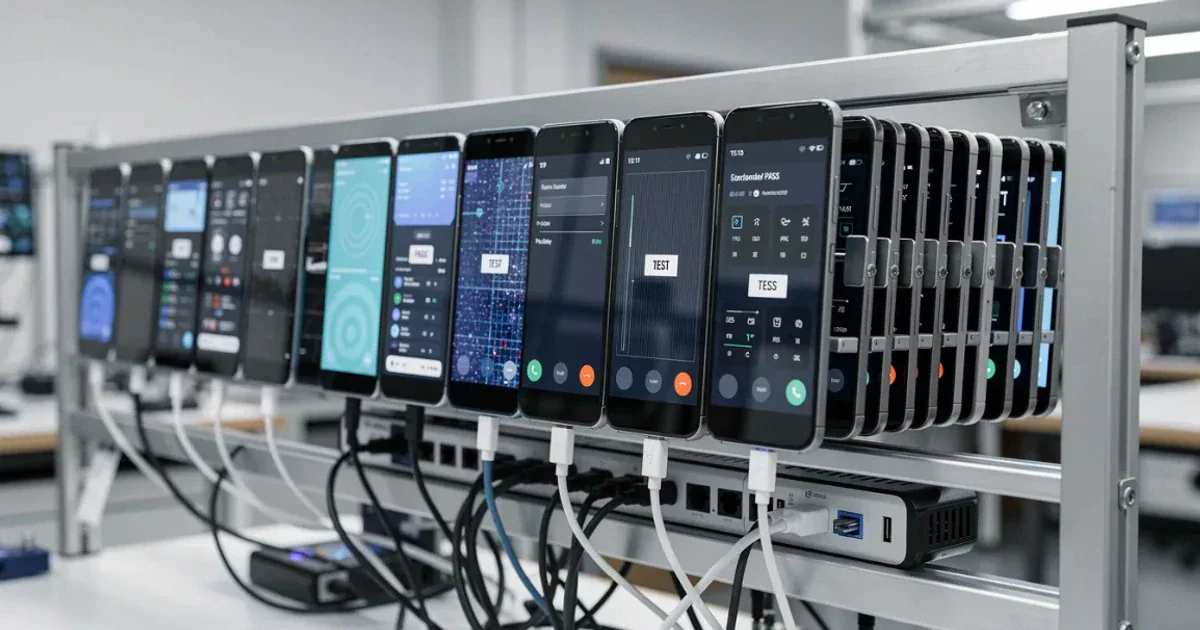
The practical answer is not to choose. Use virtual environments where they give fast feedback, and use real devices where physical hardware determines the outcome. A cloud device fleet makes the second half of that sentence affordable, because the devices do not all have to sit in one office.
Testing hardware dependent flows
Three categories of flow cannot be validated honestly without the hardware. They are also, in regulated and retail contexts, among the highest value flows in the application.
QR code and camera testing
QR based payments, QR login, promotional code scanning and identity verification all share a dependency: the application has to receive the code through the camera. Verifying that a QR image renders correctly on screen proves nothing about whether the scanner reads it.
On MobileHub, the QR code is read by the camera of the real device running the test. The camera interaction is not replaced by an image pasted onto the device screen, so payment, login and campaign code flows are validated end to end as the customer will experience them.
Motion and sensor testing
Campaign mechanics such as shake to win and spin the wheel are triggered by device movement. Synthetic sensor values can confirm that a handler fires; they cannot confirm that the mechanic behaves correctly under real accelerometer and gyroscope data.
MobileHub runs motion triggered scenarios using the device’s own accelerometer and gyroscope. Campaign mechanics are validated on real hardware before the campaign goes live, which matters most when the campaign window is short and a fix after launch is not an option.
GPS and location testing
Geo restricted services, delivery zones, localized content and region specific behavior all depend on location. Reproducing these conditions by physically travelling between locations is neither repeatable nor scalable.
MobileHub simulates device location from a map point, entered coordinates or a preset city. The simulated location is cleared when the session ends, so the device is returned clean for the next test. Location dependent flows are validated from a single environment.
Manual vs. automated mobile testing
| Manual testing | Automated testing | |
|---|---|---|
| Best for | New features, exploratory work, judgment calls | Regression, repeated validation, broad device runs |
| Feedback | Observational and contextual | Deterministic and repeatable |
| Cost profile | Per execution | Upfront build, low marginal cost |
| Scales with | People | Devices and parallelism |
| Breaks down when | Scenarios repeat every release | The application changes faster than the suite |
Automation does not replace manual testing. It removes the repetitive work so that human attention goes where judgment is required.
Appium is the most widely used framework for cross platform mobile automation. MobileHub supports Appium based automation with UiAutomator2 on Android and XCUITest on iOS. Its configuration generator produces capabilities and sample code for Java, Python, Node.js and cURL, and clients connect through a scoped API key or the command line tool. Runs are grouped into builds and sessions, so automated and manual testing are managed across the same device fleet rather than in two disconnected toolchains.
How to build a mobile testing strategy
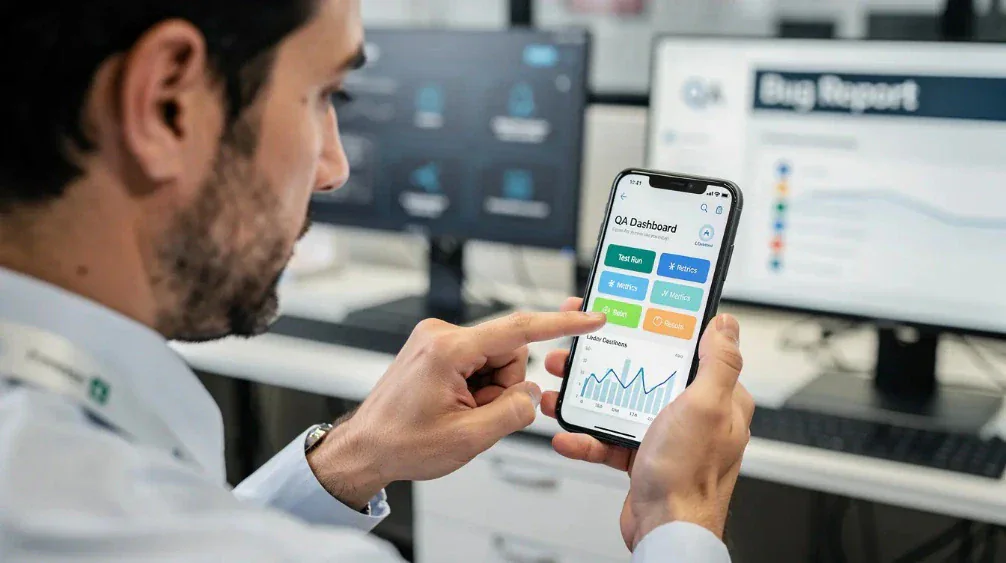
1. Define the critical user journeys. Identify the flows where quality has the greatest business impact: login, registration, payment, checkout, QR interactions, location based services and campaign mechanics. Everything else is prioritized after these.
2. Build a device matrix from your own data. Use your analytics, not a generic list. Cover the OS versions and device models your users actually run, and set an explicit coverage target, for example the combinations representing 90% of your active base.
3. Combine real devices and virtual environments. Emulators for fast functional feedback during development. Real devices for release validation and for every hardware dependent flow.
4. Automate what repeats. Stable scenarios executed every release are automation candidates. Scenarios that change with each iteration are not, yet.
5. Keep evidence connected to the test. Screenshots, logs, video, defects and reports are worth far more when they stay attached to the session that produced them. This is what turns a test run into an audit record.
Mobile testing checklist
Before a release, verify:
- Critical user journeys are tested
- Supported Android and iOS versions are covered
- The device matrix reflects real user data, not assumptions
- Camera and QR dependent flows are validated on real hardware
- Motion and sensor dependent scenarios are tested where applicable
- GPS and location dependent flows are validated
- Repeatable regression scenarios are automated
- Testers can reach the devices they need, when they need them
- Screenshots, logs and video evidence are captured
- Defects are linked to their supporting evidence
- Manual testing and automation run against the same device environment
How mobile testing works on MobileHub
MobileHub is one of Virgosol’s five products: a cloud-based mobile testing product that runs manual testing and Appium automation on real iOS and Android devices from the browser.
MobileHub · Mobile Testing and Automation on Real Devices · iOS and Android devices
The workflow follows four steps.
1. Select a device. Choose a real device or an emulator from the fleet and reserve it for a specific date and time, from 15 minutes up to four hours. Reservations can be edited or cancelled.
2. Run the test. Open a live manual session in the browser, or submit an Appium run. QR, sensor and location flows execute on the device’s own hardware.
3. Log the defect. Create the defect from the session screen and link it to a test plan. Once the integration is configured, the record moves to Jira and Azure DevOps boards together with its screenshots and logs.
4. Keep the evidence. Screenshots, video recordings, level filtered logs and PDF reports stay attached to the session. Device usage and reservation reports are produced in an audit ready format.
What MobileHub does
| Capability | What it does |
|---|---|
| Fleet and reservations | The fleet holds 150+ real iOS and Android devices alongside emulators. Reserve a device for a specific date and time, from 15 minutes up to four hours; edit or cancel the reservation as needed. |
| Bring your own devices | Connect your own devices to the fleet when specific hardware has to stay in house, and manage them through the same interface as the shared fleet. |
| QR and camera flows | The QR code is read by the camera of the real device running the test. Payment, login and campaign code flows are validated with genuine camera input. |
| Motion and sensor scenarios | Motion comes from the device’s own accelerometer and gyroscope. Shake to win and spin the wheel mechanics run on real hardware. |
| GPS location simulation | Set location from a map point, entered coordinates or a preset city. The simulated location is cleared when the session ends. |
| Appium automation | UiAutomator2 on Android, XCUITest on iOS. The configuration generator produces capabilities and sample code for Java, Python, Node.js and cURL; runs are grouped into builds and sessions. |
| Defect logging | Create the defect from the session screen and link it to a test plan. Once the integration is configured, the record moves to Jira and Azure DevOps boards with its attachments. |
| Evidence and reporting | Screenshots, video recordings, level filtered logs and PDF reports stay attached to the session. Device usage and reservation reports are produced in an audit ready format. |
The full capability list lives on the MobileHub product page.
Frequently asked questions
What is mobile testing?
Mobile testing is the process of verifying that a mobile application works correctly across different devices, operating system versions, screen sizes and hardware configurations. It includes functional, compatibility, regression and UI testing, and extends to hardware dependent scenarios such as camera, sensor and GPS flows.
Do I need real devices, or are emulators enough?
Emulators are sufficient for early development and fast functional feedback. They are not sufficient for flows that depend on physical hardware: camera and QR input, accelerometer and gyroscope data, real GPS behavior, performance under load and manufacturer specific interface layers. Most teams use both.
How many devices should I test on?
There is no universal number. Build the matrix from your own analytics and set a coverage target, such as the device and OS combinations representing 90% of your active users. Reaching roughly 91% of Android users currently means supporting back to Android 10 (apilevels.com, April 2026 data).
How does MobileHub read a QR code?
The QR code is read by the camera of the real device running the test. There is no pasted screen image and no skipped scan step, so payment, login and campaign code flows are validated with genuine camera input.
Can motion triggered campaigns such as shake to win be tested?
Yes. Motion comes from the device’s own sensors, with accelerometer and gyroscope data generated on real hardware. Shake to win and spin the wheel mechanics are validated under real conditions before the campaign goes live.
How does Appium automation work on MobileHub?
MobileHub supports Appium based automation with the UiAutomator2 driver on Android and XCUITest on iOS. The configuration generator produces capabilities and sample code for Java, Python, Node.js and cURL. Clients connect through a scoped API key or the command line tool, and runs are grouped into builds and sessions.
Do defects sync with Jira and Azure DevOps?
Yes. Defects are created from the session screen and linked to a test plan. Once the integration is configured, the record moves to Jira and Azure DevOps boards together with its attachments.
Can we connect our own devices?
Yes. Your own devices can be added to the fleet and managed through the same interface as the shared devices. This model is used when specific hardware has to stay inside the organization.
Is MobileHub a standalone product?
MobileHub is a Virgosol product and can be purchased on its own. It is also available as a module inside the RabbitQA platform: used together, sessions, defects and reports are collected under the same project as TestPilot test plans.
Conclusion
Mobile application testing has moved from a release checkpoint to a continuity concern. Device fragmentation, divergent OS versions, physical hardware and increasingly complex journeys mean that “the app opens and the screens load” is no longer a meaningful standard.
A workable strategy combines the right testing methods with deliberate device coverage. Emulators give speed. Real devices give truth about hardware. Appium automation gives repeatability across both. What ties them together is evidence that stays attached to the test.
Your application reaches the customer on a real device. MobileHub runs the test in the same place.