
A performance testing tool is software that measures how an application behaves under expected and above-expected user load. The right tool does more than generate load: it translates results from response times into user experience and business risk. At enterprise scale, the choice depends on team structure, infrastructure ownership and fit with your release pipeline.
Performance testing vs load testing vs stress testing
Performance testing is the umbrella term for the test types below. Each one answers a different question.
| Test type | What it measures | When to run it |
|---|---|---|
| Load testing | Response time and throughput at expected user volume | Before every release |
| Stress testing | The breaking point beyond capacity, and how the system recovers | During infrastructure changes and capacity planning |
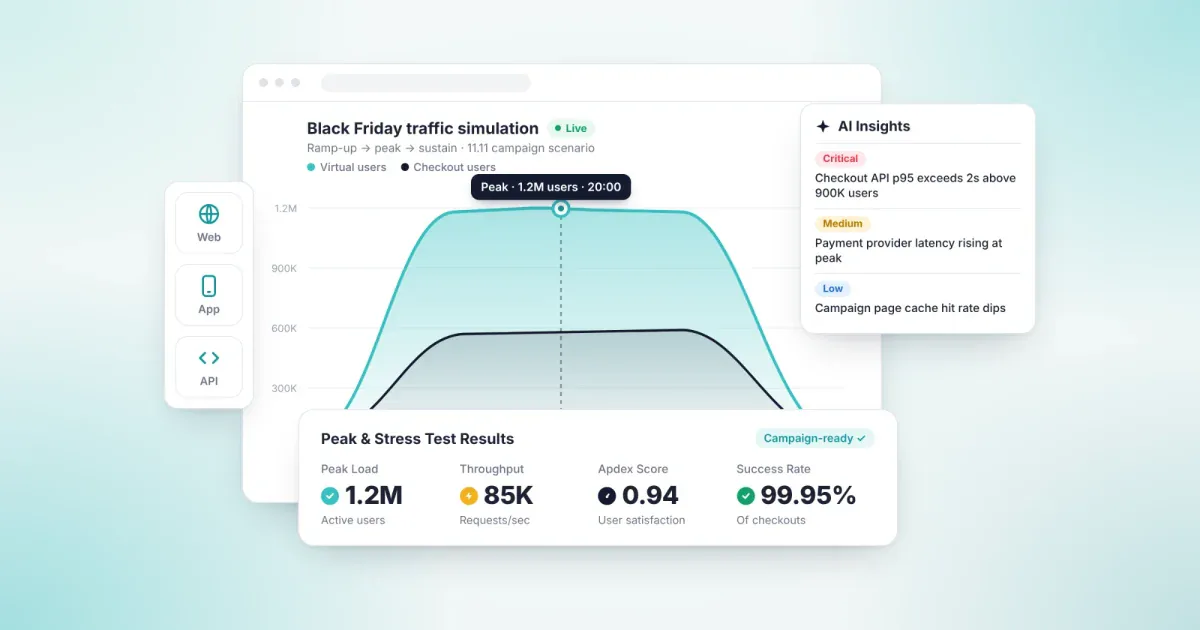
| Peak (spike) testing | How the system reacts to a sudden surge in traffic | Before campaigns, payday or ticket sales |
| Resilience (endurance) testing | Stability under sustained or fluctuating load | At regular intervals for critical systems |
The four structural problems of performance testing at enterprise scale
In large organizations, the obstacle to performance testing is rarely a missing tool. It is an operating model that does not scale.
| Problem | What happens | Business impact |
|---|---|---|
| Script dependency | Scenarios are written as code, and the knowledge sits with one or two engineers. | Test frequency is capped by team capacity. |
| Infrastructure overhead | Separate servers are built and maintained just to generate load. | Tests become expensive and infrequent. |
| Unrealistic traffic | Load comes from a single location with a fixed profile. | Production behavior stays unpredictable. |
| Metrics without business context | Results are reported only as milliseconds and error rates. | Leadership cannot see the risk when deciding on a release. |
Open source or cloud-based?
Load testing tools fall into two groups. Open source tools such as JMeter, k6, Gatling and Locust offer flexibility, but your team owns the infrastructure and the script maintenance. Cloud-based products manage load generation and scaling, trading a subscription for lower operational overhead.
| Criterion | Open source tools | Cloud-based products |
|---|---|---|
| License cost | None | Subscription |
| Infrastructure | Built and run by your team | Provided by the product, scales automatically |
| Scenario authoring | Code (Java, JavaScript, Python, Scala) | Visual editor and scripts |
| Geographic distribution | Requires extra setup | Built in |
| Reporting | Assembled with plugins | Included in the product |
The two approaches are not mutually exclusive. Moving existing JMeter scenarios to a cloud-based product removes the infrastructure burden while preserving your scripting investment.
How to evaluate load testing tools: 9 criteria
At enterprise scale, there is no single answer to "what is the best load testing tool?" The right choice preserves your existing scenarios, fits your team structure and translates results into business terms. Use the nine criteria below in your evaluation.
| Criterion | Question to ask |
|---|---|
| Preserving existing scenarios | Can scenarios built in JMeter or Postman be used without rewriting them? |
| Scenario design | Can scenarios be designed in a visual editor, or only in code? |
| Realistic user behavior | Does the load reflect real user flows and different geographic regions? |
| Scale | Can you reach your target concurrent user count without building extra infrastructure? |
| Deployment and data residency | When required, can load generation and test data stay within your own infrastructure? |
| Experience measurement | Are results reported with a user satisfaction measure such as Apdex? |
| Business risk visibility | Can technical metrics be tied to SLA targets? |
| Release pipeline integration | Can performance tests run as a pre-release check in your CI/CD pipeline? |
| Pricing transparency | Are user, test and data retention limits clear up front, and can you try the product for free? |
Apdex and SLAs: measuring performance in business terms
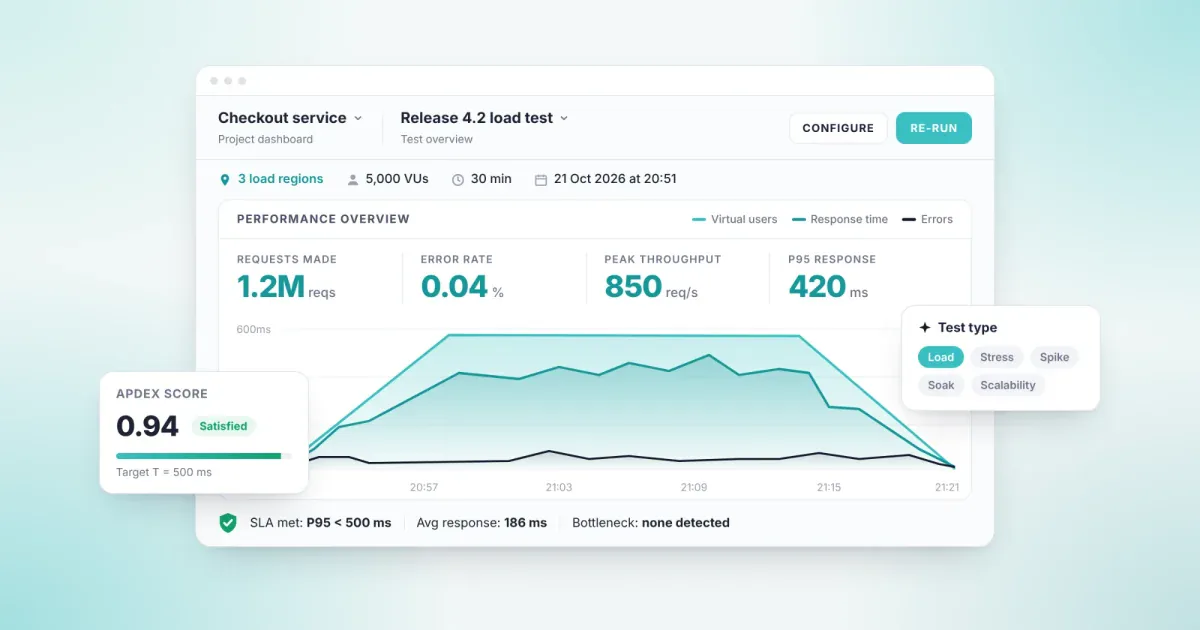
Apdex (Application Performance Index) is an open standard that converts response times into user satisfaction. Each request is classified as "satisfied", "tolerating" or "frustrated" against a target response time. The result is a score between 0 and 1.
Apdex = (Satisfied + Tolerating / 2) / Total requests
This shifts the performance conversation from "how many milliseconds?" to "how many users are satisfied?" Read alongside SLA targets, it lets leadership make release decisions without going into technical detail.
What sets Loadmance apart
Loadmance · AI-Powered Performance Testing · Load · Stress · Peak · Resilience
Loadmance is a cloud-based performance testing product with AI scenario modeling that lets you model, run and analyze load and stress tests. Three things set it apart. It reports results in business terms through Apdex and SLAs. Its hybrid deployment keeps data within your perimeter for regulated industries. And it tests live streaming infrastructure with H.264 scenarios. Loadmance won a 2025 Stevie Technology Excellence Award.
| Criterion | How Loadmance addresses it |
|---|---|
| Preserving existing scenarios | Import your JMeter and Postman files; existing scenarios never need to be rewritten. |
| Scenario design | Design user flows in a visual editor; AI scenario modeling speeds up preparation. |
| Realistic user behavior | Simulates real user behavior and distributes load across multiple geographic regions. |
| Scale | Distributed cloud infrastructure generates high concurrent user load without separate servers. |
| Deployment and data residency | In the hybrid model, test orchestration runs in the cloud while load generation and data stay in your own infrastructure. It is built for financial services, insurance and healthcare organizations whose data cannot leave the regulated perimeter. |
| Experience and business risk | Results are reported with Apdex scores and SLA targets; real-time telemetry is monitored throughout the test. |
| Media and live streaming | H.264 codec scenarios validate video pipeline performance before it faces real audience traffic. |
| Release pipeline integration | Integrates with your CI/CD pipeline, so performance tests run as a pre-release check. |
| Pricing transparency | Start with the free Demo plan; plans are defined by concurrent users, annual test count and data retention period. |
Customer story: A101
A101 has more than 13,000 stores across 81 provinces in Türkiye and over 70,000 employees. Its store operations, e-commerce, campaign management and payment systems all run under heavy load at the same time. Performance and load tests were run with Loadmance to identify system bottlenecks affecting the user experience and to set optimization priorities.
Four steps to get started with performance testing
- Identify your critical flows. Prioritize the flows with the highest revenue impact, such as payment, login and search.
- Define targets in business terms. Set your concurrent user count, acceptable response time and Apdex target together with your SLAs.
- Test with real traffic profiles. Generate load that mirrors campaign or peak-season traffic, distributed across regions.
- Connect it to your release pipeline. Add performance tests to your CI/CD pipeline to validate every release against the same standard.
Frequently asked questions
What is the difference between performance testing and load testing?
Performance testing is the umbrella term covering load, stress, peak and resilience testing. Load testing is one of them: it measures how the system behaves at expected user volume.
What is the difference between load testing and stress testing?
Load testing measures performance at expected user volume. Stress testing pushes beyond capacity to find the breaking point and see how the system recovers.
Is an open source load testing tool enough?
For small, technical teams, it often is. At enterprise scale, infrastructure management, geographic distribution and leadership reporting add overhead, and a cloud-based product can lower the total cost.
What is an Apdex score?
Apdex is a score between 0 and 1 that converts response times into user satisfaction. A score close to 1 means most users received a response within the target time.
How quickly can you run a first test with Loadmance?
Loadmance is cloud-based, so you do not need to build infrastructure to generate load. Designing and running a first scenario is usually possible the same day.
Can Loadmance be used if our data cannot leave our organization?
Yes. In the hybrid deployment model, test orchestration is managed in the cloud while load generation and data stay in your own infrastructure. This model is built for financial services, insurance and healthcare organizations whose data cannot leave the regulated perimeter.
Validate your capacity targets with real traffic profiles.
Let's review your peak-season scenarios together. Contact us